Your persistent study companion for clinical finals
A focused, offline-first quiz app covering the core MBBS clinical subjects — past questions, topic quizzes, and study materials, organized by subject and synced from the cloud. Now with OSCE Clerking Stations to rehearse the exam format and an AI Study Assistant for quick answers.
v1.2.0 · Android 8.0 (Oreo)+ · Direct install
Built for how clinical students actually study
Cloud-synced content
New past questions and study materials publish to the cloud and reach your device automatically — the app checks for updates and downloads only what's changed, not the whole library again.
Study fully offline
Once synced, everything works with no signal at all. Read on the ward, revise on a flight, quiz yourself anywhere.
OSCE Clerking Stations
Work through timed, simulated-patient history stations with an examiner-style checklist rubric — practice the actual format of the OSCE, not just the facts behind it.
AI Study Assistant
Ask a clinical question or paste a set of quiz options, and get the answer confirmed and explained in context, right inside the app.
Global Exam Mode
Pull questions from every subject into one shuffled, timed-feeling session that mirrors what the real exam actually feels like.
Mastery tracking
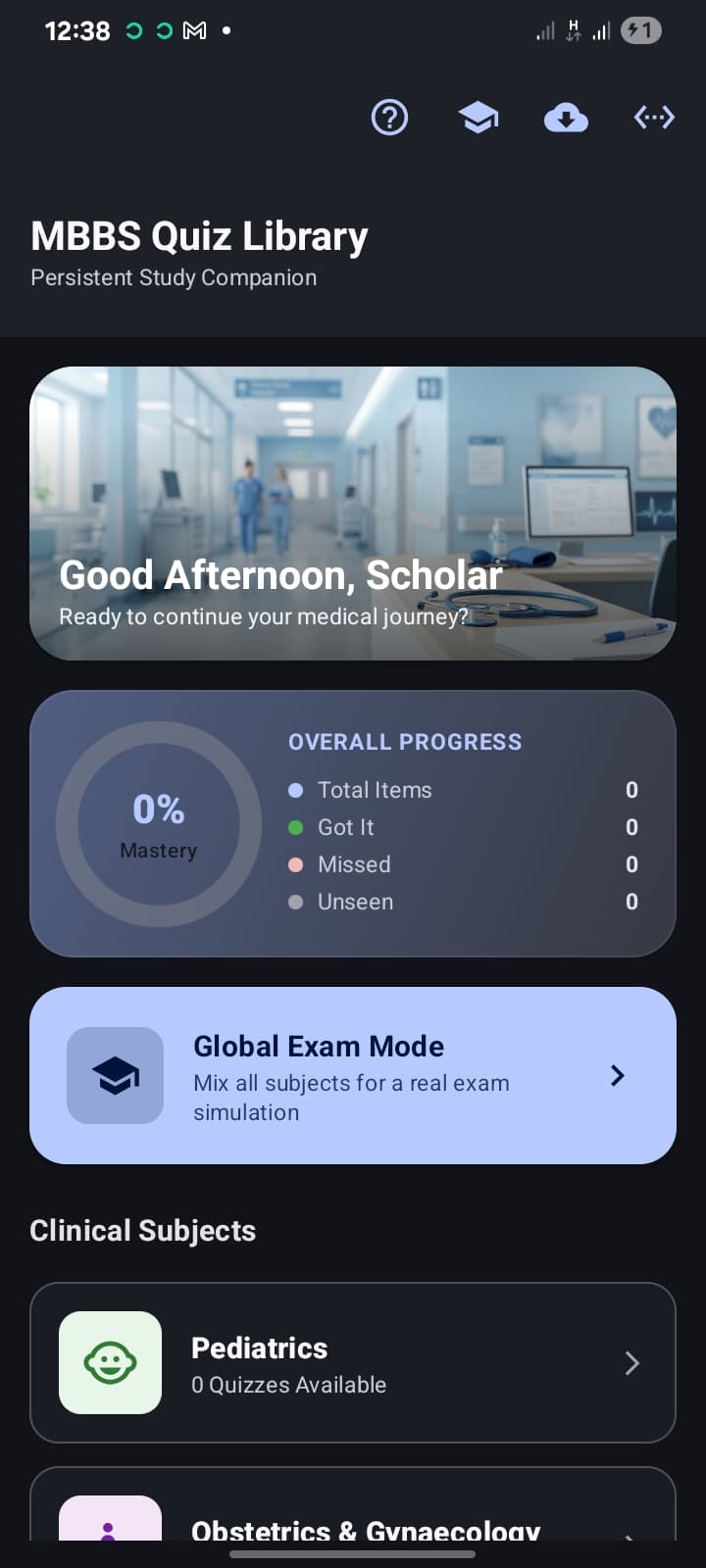
Every question you've seen is scored as got-it, missed, or unseen, rolled up into one clear mastery percentage per subject.
A closer look at the interface
Your progress at a glance the moment you open the app
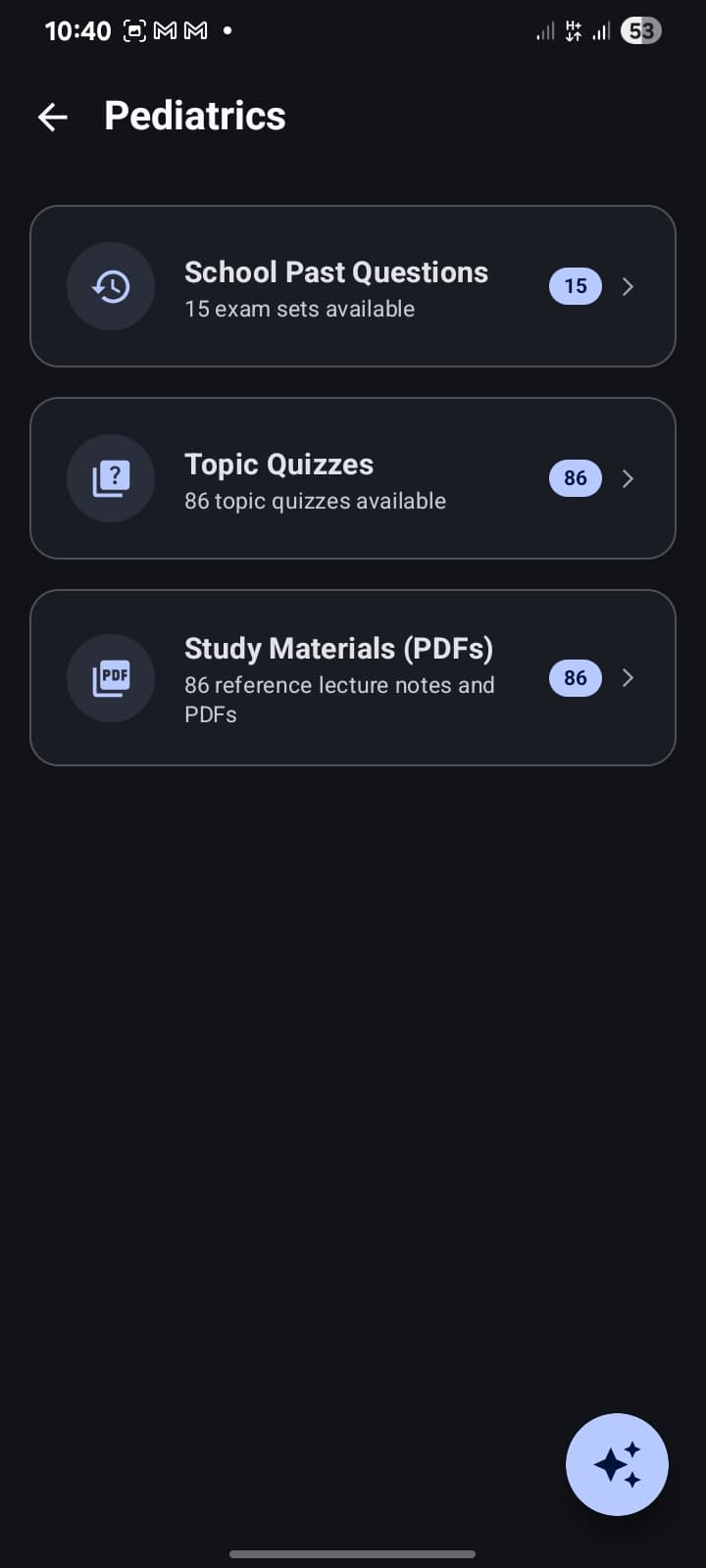
Past questions, topic quizzes, and study material PDFs, organized by subject
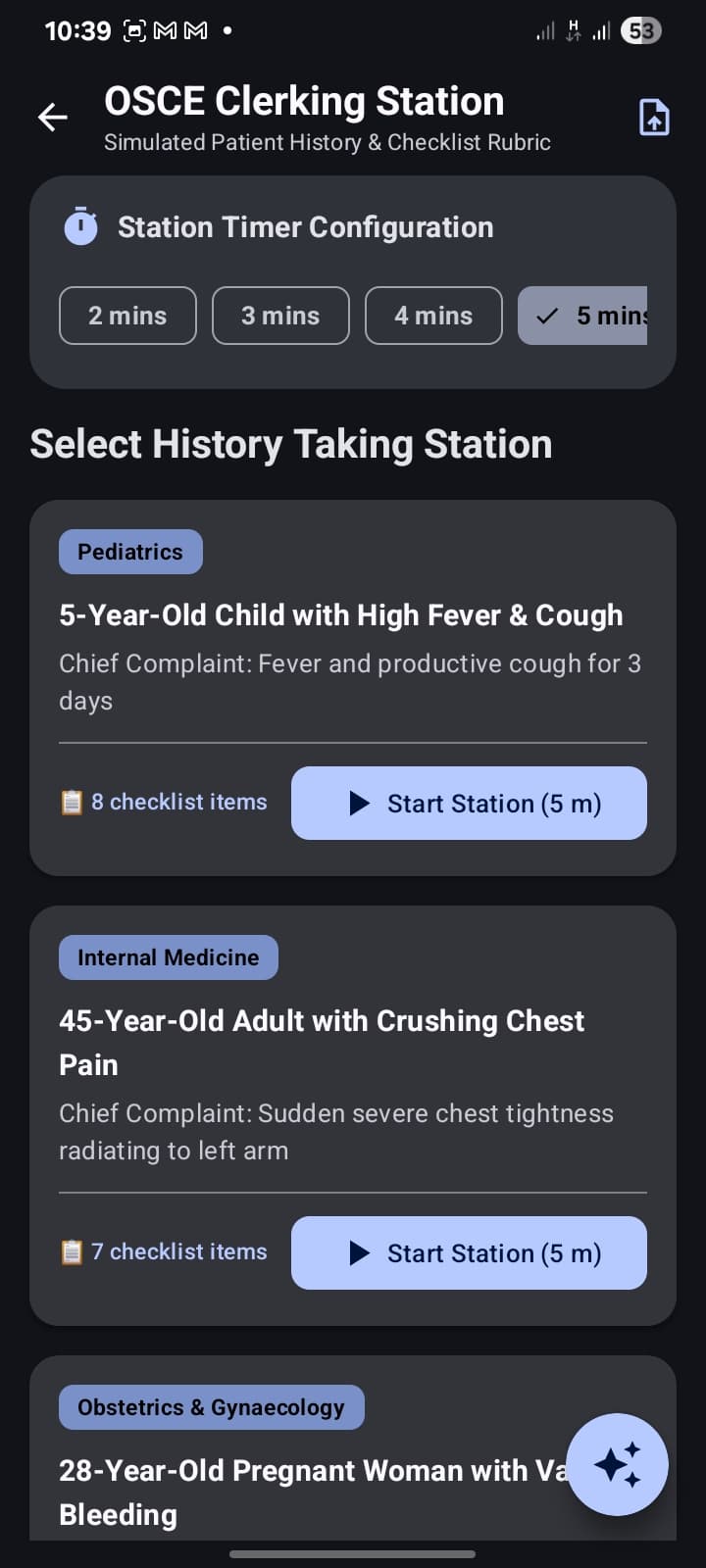
Practice real OSCE-style stations with a timer and an examiner's checklist rubric
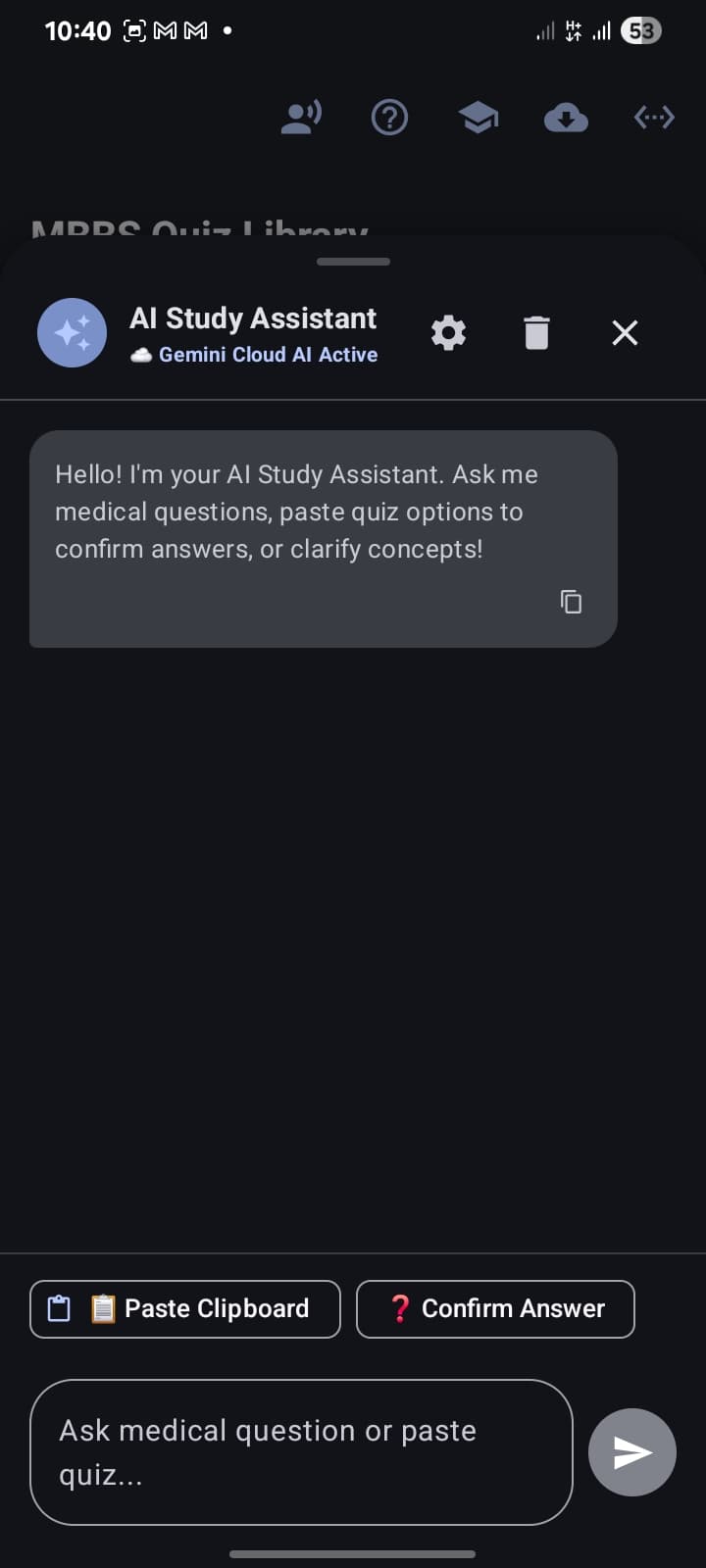
Ask a question or paste quiz options — the AI Study Assistant confirms and explains
From download to your first quiz, in four steps
Download
Grab the APK from this page — no Play Store account needed.
Install
Open the file and allow installs from this source when Android prompts you. It only asks once.
Sync
Open the app and tap sync. It pulls the current question library over Wi-Fi or data.
Study
Everything's saved on-device from here — study offline, anytime, at your own pace.
Five clinical subjects, each fully organized
Every subject is split into School Past Questions, Topic Quizzes, and Study Materials, kept current through the same cloud sync that powers the rest of the library.
Pediatrics
Past Questions · Topic Quizzes · Study Materials
Obstetrics & Gynaecology
Past Questions · Topic Quizzes · Study Materials
Community Medicine
Past Questions · Topic Quizzes · Study Materials
Internal Medicine
Past Questions · Topic Quizzes · Study Materials
Surgery
Past Questions · Topic Quizzes · Study Materials
Get Precious
Direct APK install — no Play Store account required. Takes under a minute.
Download APK- version
- 1.2.0
- size
- 44 MB
- requires
- Android 8.0 (Oreo)+
- released
- 2026-10-17
What’s new in v1.2.0
Added My Workspace and transitioned to subscription payment model
Android will ask you to confirm installing from this source the first time — that’s expected for any app installed outside the Play Store, not a warning about this app specifically.
Previous versions
Frequently asked
Is it safe to install from outside the Play Store?
Yes. Because this app is distributed directly rather than through the Play Store, Android will ask you to confirm installing from this source the first time — that's expected, standard behavior for any app installed this way, not a warning specific to this app.
Do I need an internet connection to use it?
Only to sync new or updated content. Once a subject is downloaded, everything about studying it works completely offline.
How do content updates work?
The app checks a small manifest file for the current version of each subject's content. If something's newer than what you have installed, it downloads just that update — not the entire library again.
Which subjects are covered?
Pediatrics, Obstetrics & Gynaecology, Community Medicine, Internal Medicine, and Surgery — each with School Past Questions, Topic Quizzes, and Study Materials (PDFs).
What does the AI Study Assistant do?
It answers medical questions in plain language and can confirm the correct option when you paste in a set of quiz choices — useful as a quick sanity check while you study, not a substitute for your course material.
How does the OSCE Clerking Station work?
Pick a simulated patient history station, set a timer (2–5 minutes), and work through it against a checklist rubric — the same format examiners use, so you practice the structure as well as the content.
Will my progress be lost if I update the app?
No. Your mastery progress and answer history are stored locally on your device and are separate from the content library itself.