Your shift, organized. Your sign-out, ready.
A duty-and-sign-out companion for residents — ward tasks tagged by priority and location, structured SBAR hand-over reports you can export as a PDF, and a specialty Board Bank to keep prepping for boards between patients.
v1.0.0 · Android 8.0 (Oreo)+ · Direct install
Built for how residents actually work on shift
Ward tasks, organized
Tasks are tagged by location and priority — STAT, HIGH, or ROUTINE — with quick-add templates for the ones you create every shift, and filters so you only see what's relevant to where you are.
SBAR sign-out, ready to hand off
Build a structured Situation-Background-Assessment-Recommendation report for every patient, flag vulnerable or high-risk cases, and export the full sign-out summary as a PDF.
Shift progress at a glance
A running count of tasks completed this shift, so you and whoever's covering next always know exactly where things stand.
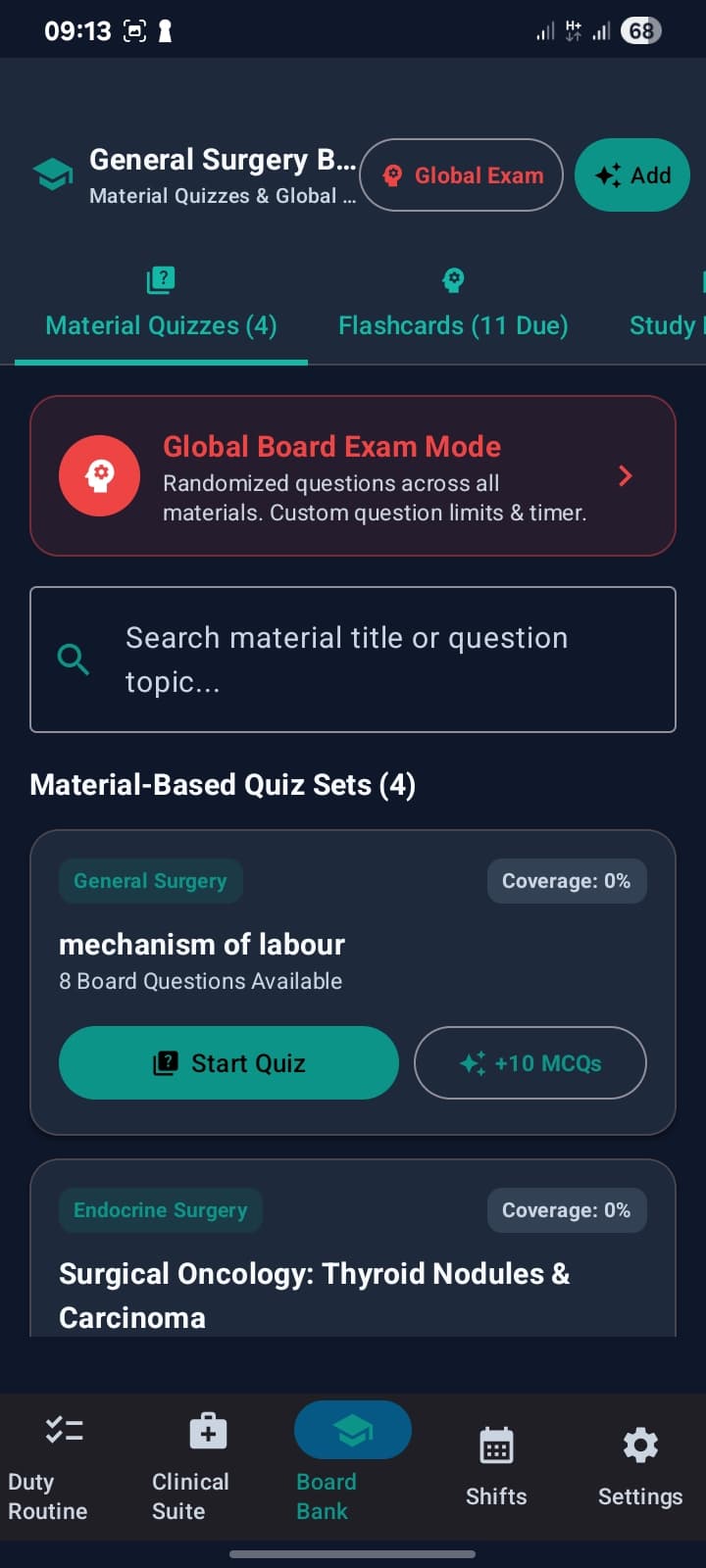
Board Bank exam prep
Specialty-organized quiz sets and due-date flashcards for board prep between patients, plus a randomized Global Board Exam Mode with a custom question limit and timer.
Clinical Suite
Quick-access clinical tools, one tap from your task list, for the moments you need them at the bedside.
Built around your shift
Plan your shifts, work your duty list, and hand off a clean sign-out — the whole rotation in one place.
A closer look at the interface
Specialty quiz sets, flashcards, and a randomized Global Board Exam Mode
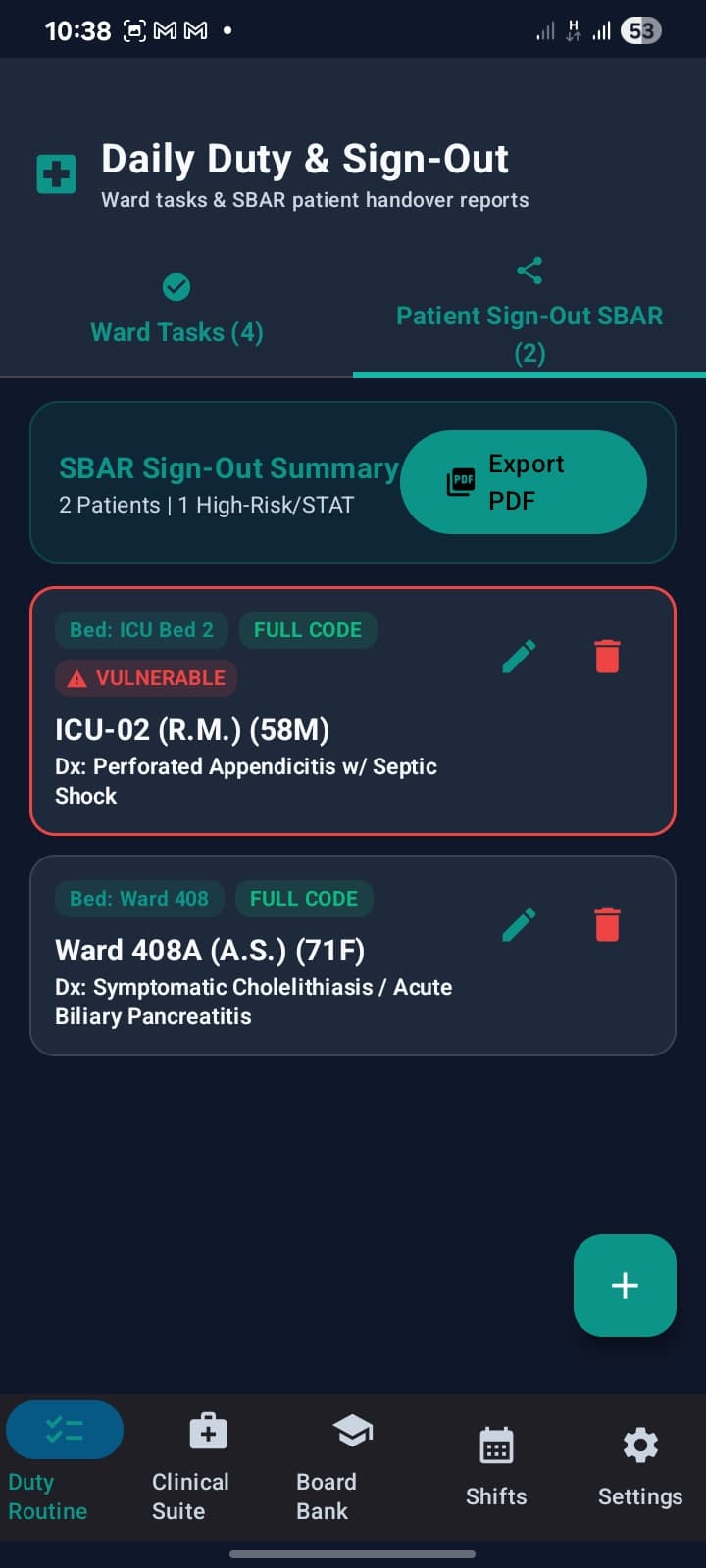
Structured SBAR sign-out reports, flagged for high-risk patients, exportable as a PDF
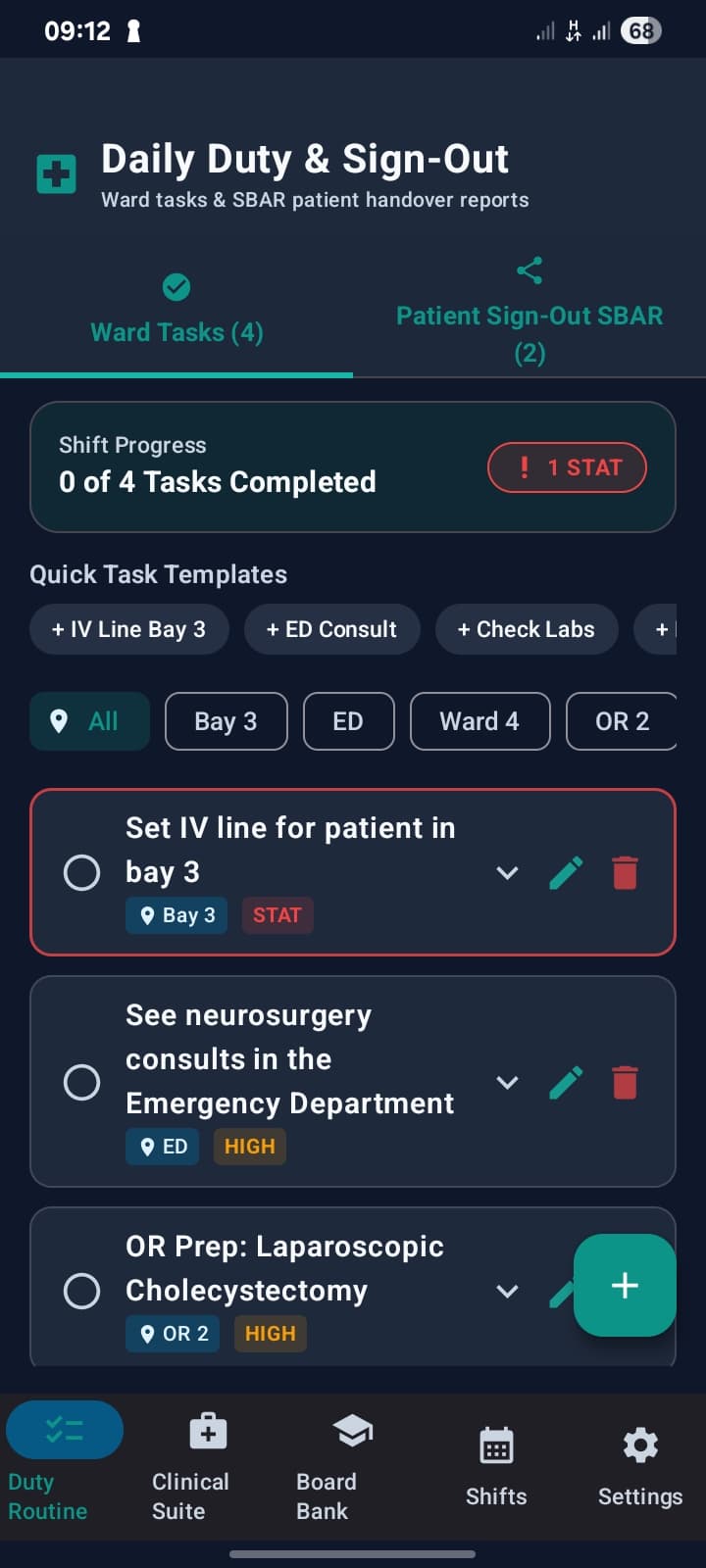
Ward tasks tagged by location and priority, with quick-add templates for the shift
From download to your first sign-out, in four steps
Download
Grab the APK from this page — no Play Store account needed.
Install
Open the file and allow installs from this source when Android prompts you. It only asks once.
Start your shift
Add today's ward tasks from a quick template, or write your own — tag each one by location and priority.
Sign out clean
Build your SBAR report as the shift goes and export it as a PDF the moment you're ready to hand off.
Everything you need for one shift, in one app
Four modules cover the shift from start to sign-out — tasks, quick clinical tools, board prep, and your schedule.
Duty Routine
Ward tasks tagged by location and priority, plus SBAR sign-out reports
Clinical Suite
Quick-access clinical tools for bedside work
Board Bank
Specialty quiz sets, flashcards, and Global Board Exam Mode
Shifts
Plan and view your upcoming shift schedule
Get Precious for Residents
Direct APK install — no Play Store account required. Takes under a minute.
Download APK- version
- 1.0.0
- size
- 25 MB
- requires
- Android 8.0 (Oreo)+
- released
- 2026-08-06
What’s new in v1.0.0
Initial release: location- and priority-tagged ward tasks, SBAR sign-out reports with PDF export, and a specialty Board Bank with Global Board Exam Mode.
Android will ask you to confirm installing from this source the first time — that’s expected for any app installed outside the Play Store, not a warning about this app specifically.
Frequently asked
Is it safe to install from outside the Play Store?
Yes. Because this app is distributed directly rather than through the Play Store, Android will ask you to confirm installing from this source the first time — that's expected, standard behavior for any app installed this way, not a warning specific to this app.
What is an SBAR sign-out report?
SBAR (Situation, Background, Assessment, Recommendation) is a structured way to hand a patient off to the next team. The app builds one per patient and lets you export the full sign-out as a PDF.
What's in the Board Bank?
Specialty quiz sets and flashcards you can work through between patients, plus a Global Board Exam Mode that randomizes questions across everything with its own question limit and timer.
Can I use quick templates for common tasks?
Yes — save any recurring task, like a common consult or line placement, as a template so adding it to a future shift is one tap.
Is this affiliated with my hospital or program?
No — this is an independent tool built to make one resident's shift easier, not an official system from any hospital or residency program.